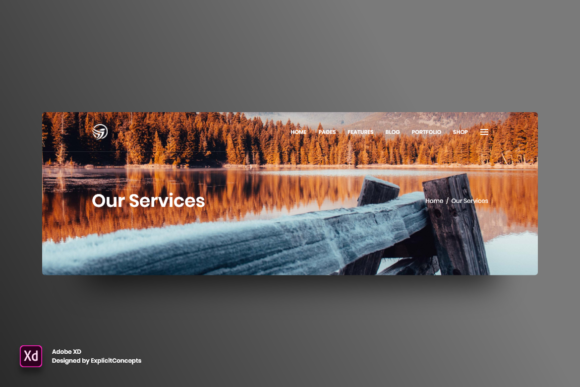
Mastering Adobe XD UI Kits: A Guide to Efficient, Layered Design Workflows
In the rapidly evolving landscape of digital product design, efficiency is not just a luxury; it is a necessity. Whether you are a seasoned UX designer, a frontend developer, or a business owner looking to prototype a new app idea, the tools you choose can significantly impact your workflow. Among the various resources available to streamline this process, Adobe XD UI kits stand out as powerful accelerators. Specifically, resources like Vol 03 offer a structured approach to design that prioritizes organization, editability, and high-quality output. This article explores the significance of well-organized Adobe XD templates, explaining how features such as clear layer naming, full editability, and ready-to-use formats can transform your creative process.
Understanding the Role of Adobe XD in Modern Design
Before diving into the specifics of template features, it is essential to understand why Adobe XD remains a relevant tool in the design ecosystem. Adobe XD (Experience Design) is a vector-based user experience design tool used for web apps and mobile apps, developed and published by Adobe Inc. It allows designers to create wireframes, prototypes, and screen designs specifically for digital products.
The strength of Adobe XD lies in its simplicity and integration with the broader Adobe Creative Cloud. For beginners, the learning curve is gentle compared to more complex software like Photoshop or Illustrator. For professionals, its prototyping capabilities allow for quick iteration and testing. When you combine the core functionality of Adobe XD with pre-built assets—such as the Vol 03 kit—you gain a head start. Instead of starting from a blank canvas, you begin with a foundation that adheres to industry standards, allowing you to focus on creativity and problem-solving rather than repetitive setup tasks.
Why Organization Matters: The Power of Clear Layers
One of the most critical aspects highlighted in high-quality Adobe XD resources is the organization of files. The feature description "Well organized all in layers with clear names" might seem minor at first glance, but it is arguably the most important factor for long-term project sustainability.
Imagine opening a design file with hundreds of elements. If the layers are named "Rectangle 43," "Group 12," or "Path 9," navigating the file becomes a nightmare. You spend more time hunting for the right button or text box than actually designing. In contrast, a professionally organized kit uses semantic naming conventions. Layers might be labeled "Header/Logo," "Primary Button/Hover State," or "Footer/Contact Links." This clarity offers several benefits:
- Faster Editing: You can instantly locate the element you need to change without expanding dozens of nested groups.
- Collaboration Friendly: If you hand off the file to a developer or another designer, they can understand the structure immediately, reducing miscommunication.
- Error Reduction: Clear layers prevent accidental deletion or modification of the wrong elements, ensuring design integrity.
For general readers, think of this like a well-organized kitchen. If every spice jar is labeled and placed in a logical order, cooking is efficient and enjoyable. If everything is in unmarked bins, the process becomes frustrating and slow. The same logic applies to digital design files.
Editability and Flexibility: Tailoring Designs to Your Needs
A static image is useful for inspiration, but a fully editable file is useful for production. The promise that a template is "really easy to use" and allows users to "edit texts, fonts, colors, move or remove elements" is what separates a mere mockup from a functional design tool.
Text and Typography
In modern web and app design, typography plays a crucial role in branding and readability. A high-quality Adobe XD file allows you to select any text block and change the content instantly. More importantly, it should allow you to modify font families, sizes, weights, and line heights without breaking the layout. This flexibility ensures that you can align the design with your specific brand guidelines.
Color Customization
Colors evoke emotion and guide user attention. With an editable Adobe XD file, you are not stuck with the default color palette. You can use the asset panel to update global colors, which automatically reflects changes across all instances in the design. This feature is invaluable for businesses rebranding or designers working with multiple clients who have distinct visual identities.
Modular Elements
The ability to move or remove elements gives you complete control over the composition. Perhaps your project does not require a sidebar navigation, or maybe you need an extra testimonial section. In a well-constructed kit, these elements are modular. You can delete what you don’t need or duplicate and rearrange components to fit your unique content requirements. This modularity encourages experimentation, allowing you to test different layouts quickly.
Technical Quality: Resolution and Format
When downloading design resources, technical specifications matter. The specification of High quality 72 dpi is standard for digital screens. While print design often requires 300 dpi, web and mobile interfaces are viewed on pixels. A 72 dpi resolution ensures that the file size remains manageable while providing crisp, clear visuals on standard displays. It strikes the right balance between performance and visual fidelity, ensuring that your prototypes load quickly and look professional during presentations.
Furthermore, the Format Adobe XD ensures compatibility. By sticking to the native file format, you preserve all interactive components, repeat grids, and component states. Converting files to other formats often strips away these intelligent features, leaving you with flat, dumb shapes. Using the native format guarantees that you can leverage Adobe XD’s full suite of tools, such as auto-animate and voice triggers, if needed.
Practical Applications in Business and Education
The utility of a resource like Vol 03 extends beyond professional design agencies. It has practical relevance in various sectors:
- Startups and Entrepreneurs: For founders with limited budgets, hiring a full-time designer might not be feasible. Using a ready-to-use Adobe XD kit allows them to create credible pitch decks and MVP (Minimum Viable Product) prototypes to show investors or early users.
- Education: Students learning UX/UI design can deconstruct these files to understand how professional designers structure their work. Analyzing clear layer names and component usage provides a real-world education in best practices.
- Marketing Teams: Marketers often need to visualize campaign landing pages or social media ads. An editable template empowers them to make quick adjustments to copy and imagery without waiting for design team availability.
Common Misunderstandings About Design Templates
There is a common misconception that using templates stifles creativity. Some believe that starting with a pre-made kit results in generic-looking products. However, this view overlooks the strategic value of templates. A template is a starting point, not the finish line. It handles the foundational heavy lifting—grid systems, spacing consistency, and basic component structures—freeing up your mental energy for higher-level creative decisions, such as user journey mapping and unique visual storytelling.
Another misunderstanding is that "easy to use" implies "limited functionality." On the contrary, the best templates are sophisticated under the hood. They use advanced features like symbols and responsive resize rules, but they present them in a way that is accessible to users of all skill levels. The complexity is managed by the creator, so the end-user experiences simplicity.
Conclusion: Elevating Your Design Workflow
In conclusion, leveraging a well-structured Adobe XD resource like Vol 03 is a smart strategy for anyone involved in digital creation. The emphasis on clear layer naming, full editability, and high-quality output addresses the common pain points of disorganization and rigidity. By providing a ready-to-use foundation, these tools democratize design, making it accessible for beginners while offering the depth required by experts.
Whether you are building a mobile app, redesigning a website, or simply learning the ropes of UX design, choosing organized and flexible assets will save you time and reduce frustration. Embrace these tools not as crutches, but as catalysts that allow you to bring your ideas to life with greater speed and precision. As technology continues to integrate deeper into our daily lives, the ability to efficiently design and prototype digital experiences becomes an increasingly valuable skill. Start with a solid foundation, and let your creativity build upon it.