Mastering the Cheers Editable Text Effect: A Practical Guide to Vector Customization
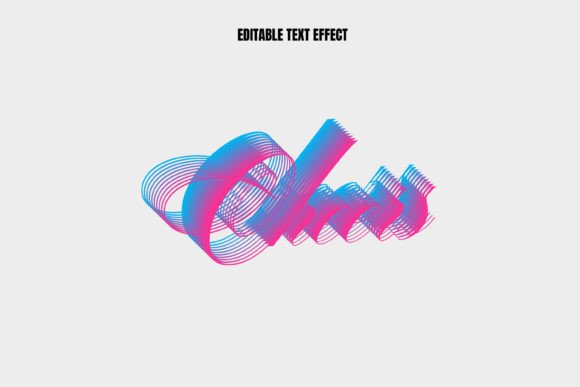
In the dynamic world of graphic design, typography is rarely static. Designers, marketers, and content creators constantly seek ways to infuse personality into their projects without sacrificing professional quality or workflow efficiency. This is where specialized assets like the Cheers Editable Text Effect come into play. Unlike standard font installations that offer limited stylistic variation, this resource provides a pre-styled, fully customizable solution that bridges the gap between complex manual design and quick, template-based production.
For professionals evaluating design resources, understanding the specific utility of an editable vector text effect is crucial. It is not merely about having a pretty font; it is about possessing a flexible tool that adapts to various brand identities, campaign themes, and medium requirements. This article explores the distinct characteristics of the Cheers Editable Text Effect, compares it with alternative design approaches, and helps you determine if it is the right fit for your current project needs.
Understanding the Core Value of Vector-Based Text Effects
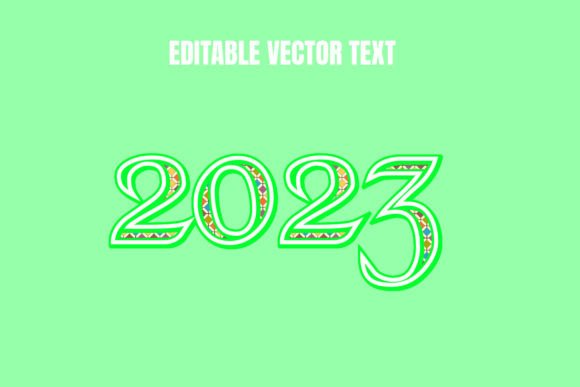
To appreciate the Cheers Editable Text Effect, one must first understand the underlying technology: vector graphics. Typically distributed as an EPS (Encapsulated PostScript) file, this format ensures that every curve, shadow, and highlight is defined by mathematical paths rather than pixels. This distinction is vital for scalability. Whether you are designing a small social media graphic or a large-format banner for a physical event, the quality remains crisp and sharp.
The "editable" aspect refers to the file’s structure. Within compatible software such as Adobe Illustrator, CorelDRAW, or Affinity Designer, the text layers remain live. This means you can change the wording from "Cheers" to any other phrase while retaining the intricate styling—be it metallic sheens, 3D extrusions, or hand-lettered flourishes. This capability saves hours of manual manipulation, allowing designers to focus on composition and strategy rather than tedious effect application.
Key Features That Define the Experience
- Scalability: As a vector EPS file, the design can be resized infinitely without loss of resolution, making it ideal for both digital and print media.
- Customizability: Colors, gradients, and shapes can be adjusted to match specific brand guidelines or seasonal themes.
- Time Efficiency: Pre-built effects eliminate the need to recreate complex layer styles from scratch for every new project.
- Professional Finish: The effect often includes nuanced details like lighting, shadows, and texture that are difficult to replicate manually without advanced skills.
Comparing Approaches: Templates vs. Manual Design vs. Standard Fonts
When deciding whether to utilize a resource like the Cheers Editable Text Effect, it is helpful to compare it against other common methods of achieving typographic impact. Each approach has its own set of tradeoffs regarding time, cost, and creative control.
Manual Creation from Scratch
Creating a custom 3D or stylized text effect manually offers the highest degree of creative freedom. A designer can tailor every anchor point and gradient stop to exact specifications. However, this method is time-intensive and requires a high level of technical proficiency. For agencies working under tight deadlines or freelancers managing multiple clients, the return on investment for manual creation may not always justify the effort, especially for recurring themes like celebrations or holidays.
Standard Font Installation
Installing a decorative font is the quickest solution. You simply type your text, and the style is applied automatically. The limitation here is rigidity. Decorative fonts often lack the depth, dimension, and complex lighting effects found in vector text effects. Furthermore, if the font does not support certain characters or languages, you may face compatibility issues. The Cheers Editable Text Effect offers a middle ground: the ease of typing new text combined with the visual richness of a custom illustration.
Pre-Made Raster Templates
Many online marketplaces offer PSD (Photoshop) templates with smart objects. While these are user-friendly, they are resolution-dependent. If you need to scale the design beyond its original dimensions, pixelation occurs. Vector EPS files, by contrast, remain mathematically perfect at any size. This makes vector effects superior for projects that require multi-channel deployment, such as printing on merchandise while also using the asset on a website.
Evaluating Fit: When to Choose This Resource
Not every project benefits from a stylized text effect. Understanding the context in which the Cheers Editable Text Effect shines can help you allocate your design budget and time more effectively.
Ideal Use Cases
- Event Branding: For weddings, parties, or corporate celebrations, a festive text effect sets the tone immediately. The ability to edit the names or dates while keeping the celebratory style intact is invaluable.
- Social Media Campaigns: Eye-catching typography drives engagement. A polished, 3D-style text graphic stands out in crowded feeds compared to plain text overlays.
- Merchandise Design: T-shirts, mugs, and posters benefit from vector files because printers require high-resolution, scalable artwork to ensure clean edges and vibrant colors.
- Presentation Headers: Adding a touch of professionalism and flair to slide decks can enhance audience retention, provided the style aligns with the overall theme.
Limitations and Considerations
While versatile, this type of asset is not a universal solution. If your brand identity relies on minimalism and strict typographic hierarchy, a highly decorative effect may clash with your established guidelines. Additionally, users must have access to vector editing software. Those limited to basic word processors or non-vector image editors will not be able to leverage the full editability of the EPS file.
Another consideration is legibility. Highly stylized effects can sometimes obscure the text, especially at smaller sizes. It is essential to test the readability of the edited text in its intended final format. If the background is busy or the contrast is low, the intricate details of the effect might distract from the message rather than enhance it.
Technical Workflow and Best Practices
To get the most out of the Cheers Editable Text Effect, a smooth workflow is essential. Here are some practical tips for integrating this asset into your design process:
- Software Compatibility: Ensure you are using a vector-based program. Adobe Illustrator is the industry standard, but alternatives like Inkscape (free) or Affinity Designer can also open and edit EPS files, though layer structures may vary.
- Font Substitution: Most editable text effects rely on specific fonts. If you do not have the original font installed, the software may substitute it with a default, potentially breaking the layout. Always check the included documentation for font requirements or convert the text to outlines if no further editing is needed.
- Color Management: Vector files often use CMYK color profiles for print. If you are using the asset for digital purposes, convert the document to RGB to ensure colors appear vibrant on screens.
- Layer Organization: Keep your layers organized. Group elements such as shadows, highlights, and base shapes separately. This makes it easier to tweak individual components without affecting the entire composition.
Making an Informed Decision
Choosing the right design resource is about balancing quality, efficiency, and flexibility. The Cheers Editable Text Effect represents a strategic choice for designers who need high-impact typography without the overhead of custom illustration. It is particularly valuable for those who frequently work on celebratory or promotional materials where visual appeal is paramount.
However, it is not a replacement for fundamental design skills. The best results come when the asset is treated as a starting point rather than a final product. Adjusting colors to match brand palettes, refining spacing, and ensuring contextual relevance are steps that transform a generic template into a bespoke design element.
Ultimately, the decision to use this or similar vector text effects depends on your specific project constraints. If you prioritize speed and scalability while maintaining a professional aesthetic, an editable EPS text effect is a robust addition to your toolkit. For projects requiring absolute uniqueness or minimalist precision, other approaches may be more appropriate. By understanding the strengths and limitations of each option, you can make choices that enhance both your creative output and operational efficiency.