Understanding Border Shapes: A Guide to Digital Design and Instant Downloads
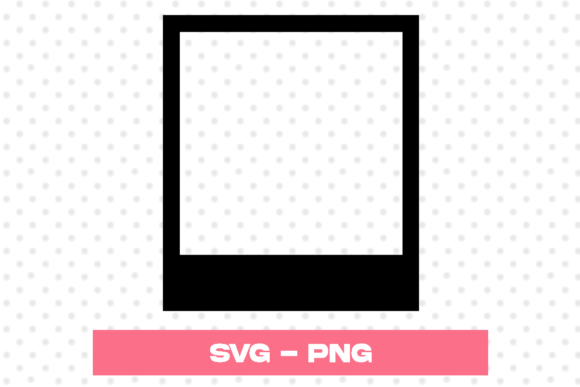
In the vibrant world of digital design, few elements are as fundamental yet transformative as the border shape. Whether you are a seasoned graphic designer, a small business owner creating marketing materials, or a hobbyist crafting personalized gifts, understanding how borders function is essential. Borders do more than simply frame an image; they define space, guide the viewer’s eye, and add a layer of professional polish to any project. With the rise of digital marketplaces, accessing high-quality design assets has never been easier. An instant download package containing versatile file formats like SVG and PNG allows creators to integrate professional border shapes into their work seamlessly.
The Purpose and Significance of Border Shapes
At its core, a border is a boundary. However, in design theory, it serves several critical psychological and aesthetic functions. Firstly, borders create visual hierarchy. By enclosing text or images within a defined shape, you signal to the audience that this content is grouped together and important. This is particularly useful in educational materials, where distinct sections help students process information without feeling overwhelmed.
Secondly, borders provide context. A jagged, rough-edged border might suggest adventure, ruggedness, or a handmade quality, making it perfect for outdoor-themed projects. Conversely, a sleek, geometric border with sharp angles conveys modernity, precision, and corporate professionalism. The shape of the border communicates emotion before the viewer even reads the text inside it.
Finally, borders enhance readability. In busy designs, such as social media posts or crowded flyers, a border acts as a quiet zone, separating the main message from background noise. This ensures that your key information stands out clearly, improving communication effectiveness.
Why Digital Assets Matter in Modern Creativity
The shift toward digital creation tools has revolutionized how we approach design. In the past, creating a complex border required hours of manual drawing or expensive software plugins. Today, the availability of digital works of art ready for immediate use has democratized design. When you purchase an instant download, you are not just buying an image; you are buying time and consistency.
Consider the workflow of a small business owner. They need to create fifty product labels for a local fair. Drawing each border by hand is impractical, and hiring a designer for each label is cost-prohibitive. By utilizing a pre-made border shape from a ZIP folder, they can maintain a consistent brand identity across all products while significantly reducing production time. This efficiency is crucial in modern business environments where speed and quality must coexist.
Decoding File Formats: SVG vs. PNG
When you acquire a digital design asset, understanding the file types included is vital for maximizing their utility. Most high-quality instant downloads, such as the one described in our reference, include both SVG and PNG files. Here is why having both is beneficial:
- SVG (Scalable Vector Graphics): This format is based on mathematical paths rather than pixels. The primary advantage of an SVG file is scalability. You can resize the border shape to the size of a postage stamp or a billboard without losing any quality. There is no pixelation or blurriness. This makes SVGs ideal for cutting machines (like Cricut or Silhouette) and large-format printing.
- PNG (Portable Network Graphics): This is a raster image format. The key feature of the PNG provided in these packages is the transparent background. This means you can place the border over any photo, color, or pattern, and only the border itself will appear. The 300 ppi (pixels per inch) resolution ensures that the image remains crisp and clear for standard printing purposes, such as home printers or office laser jets.
By including both formats, the creator ensures that the user is equipped for any scenario, whether they are designing a website header (where SVG is preferred for load times and clarity) or printing a physical invitation (where high-resolution PNG is reliable).
Practical Applications in Daily Life and Business
The versatility of border shapes extends far beyond professional graphic design. Here are several practical ways individuals and businesses can utilize these digital assets:
- Educational Resources: Teachers can use border shapes to frame worksheets, certificates, and classroom posters. A consistent border theme can make a classroom feel cohesive and organized, helping students focus on the learning material.
- Social Media Content: In the age of Instagram and Pinterest, visual appeal is paramount. Using unique border shapes around quotes, product photos, or announcements can help a brand stand out in a crowded feed. It adds a layer of customization that generic templates often lack.
- Wedding and Event Stationery: For DIY brides and event planners, border shapes are indispensable. They can be used to frame save-the-dates, menus, and place cards. The ability to download these instantly means last-minute changes can be accommodated without waiting for a designer to send new proofs.
- Product Packaging: Small business owners selling handmade goods, such as candles or soaps, can use border shapes on their labels. This adds a perceived value to the product, making it look store-ready and professionally branded.
Common Misunderstandings About Digital Borders
Despite their popularity, there are some common misconceptions regarding digital border assets. One frequent assumption is that "instant download" implies low quality. In reality, many independent artists produce high-caliber digital works that rival traditional agency outputs. The term simply refers to the delivery method, not the artistic merit.
Another misunderstanding involves the ease of use. Some beginners believe they need advanced software like Adobe Illustrator to use SVG files. However, most modern cutting software and even free online design platforms support SVG imports. The ZIP folder structure mentioned in product descriptions is standard practice to keep files organized and compressed for faster downloading. Once extracted, the files are ready to drag and drop into your preferred application.
Additionally, users often overlook the importance of the transparent background in PNG files. Without transparency, you would be stuck with a white box around your border, limiting where you can place it. Ensuring you are using the correct file type for your background needs is a simple step that dramatically improves the final result.
Integrating Border Shapes into Your Workflow
To get the most out of your digital border shapes, consider these best practices:
First, always check the licensing terms. Most instant downloads are for personal and small commercial use, but it is wise to verify if there are restrictions on mass production. Second, experiment with layering. You can combine multiple border shapes or overlay them with textures to create a unique look. Third, match the border style to your content. A delicate, floral border may clash with bold, industrial typography. Harmony between the frame and the content creates a pleasing visual experience.
Finally, keep your files organized. Create a dedicated folder on your computer for digital assets. Subdivide it by category (e.g., "Geometric Borders," "Floral Frames"). This saves time when you are in the creative flow and need a specific style quickly.
Conclusion
Border shapes are more than decorative extras; they are functional tools that enhance communication, organization, and aesthetic appeal. In an era where digital presence is crucial for both personal expression and business success, having access to high-quality, versatile design assets is invaluable. An instant download containing SVG and PNG files offers the flexibility needed for various projects, from cutting machine crafts to professional print materials.
By understanding the technical aspects of these files and the design principles behind effective borders, you can elevate your creative projects. Whether you are framing a certificate, designing a logo, or creating social media content, the right border shape provides the finishing touch that turns a good design into a great one. Embrace the convenience of digital art resources, and let these tools streamline your workflow while boosting your creative potential.